⭐ Quests with deadlines
Each chore has a time window: an early bonus, on time, or late. A countdown shows what's next, with levels and daily streaks to keep kids going.
 Pocket Money Pal
Chores · Points · Pocket money
A screen on the family PC shows each child's quests for the day. Kids tap a quest when it's done, you approve it from your phone, and once a week their points become pocket money they save in jars for the things they want.
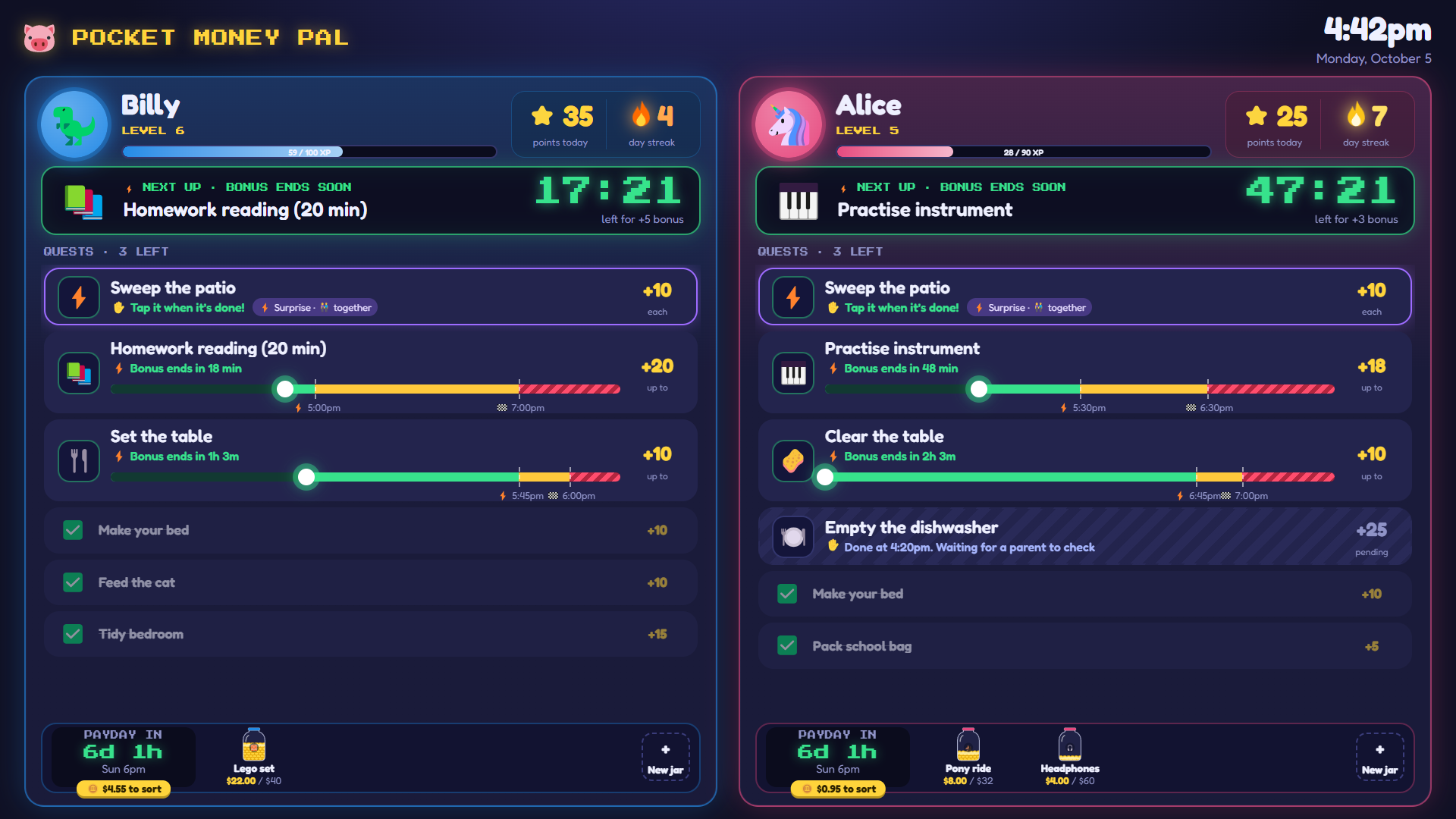
Each chore has a time window: an early bonus, on time, or late. A countdown shows what's next, with levels and daily streaks to keep kids going.
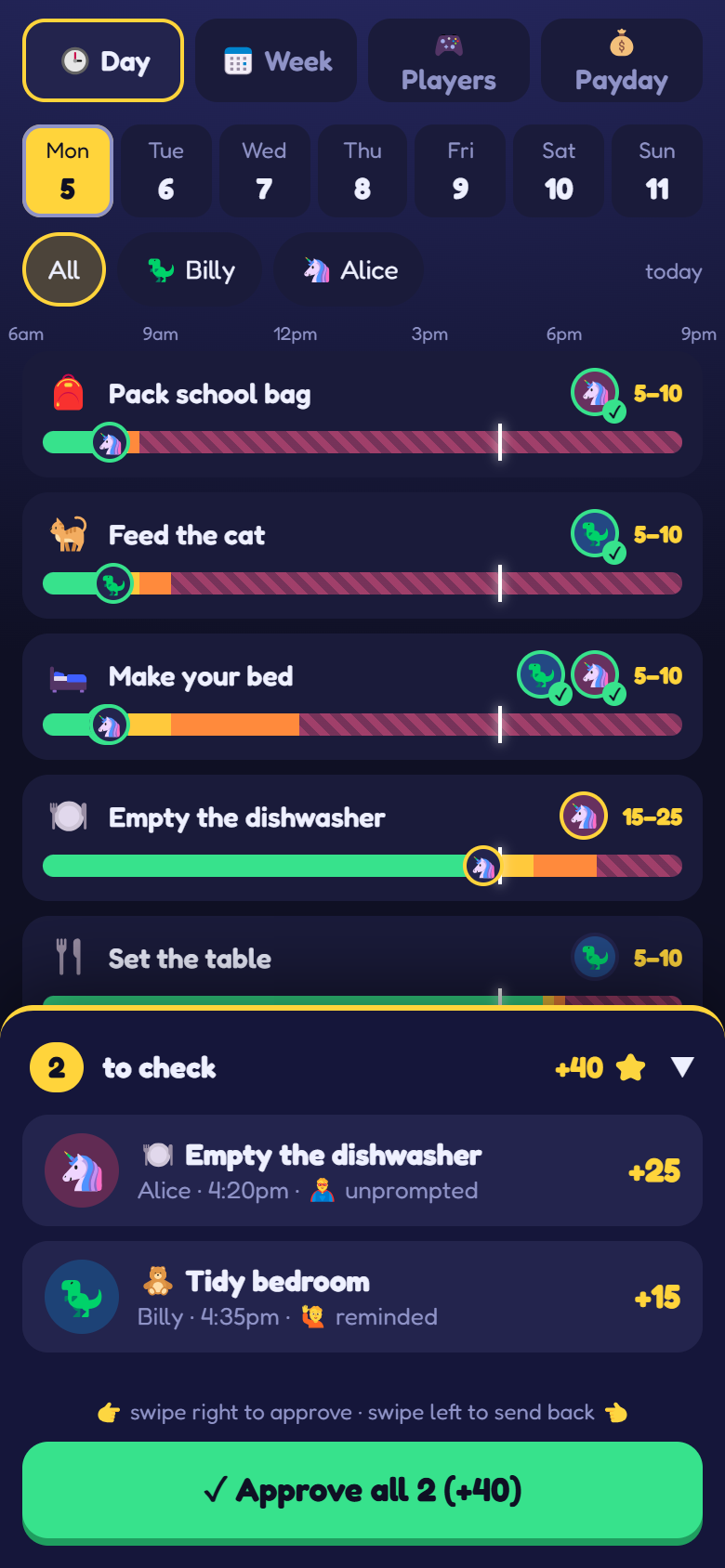
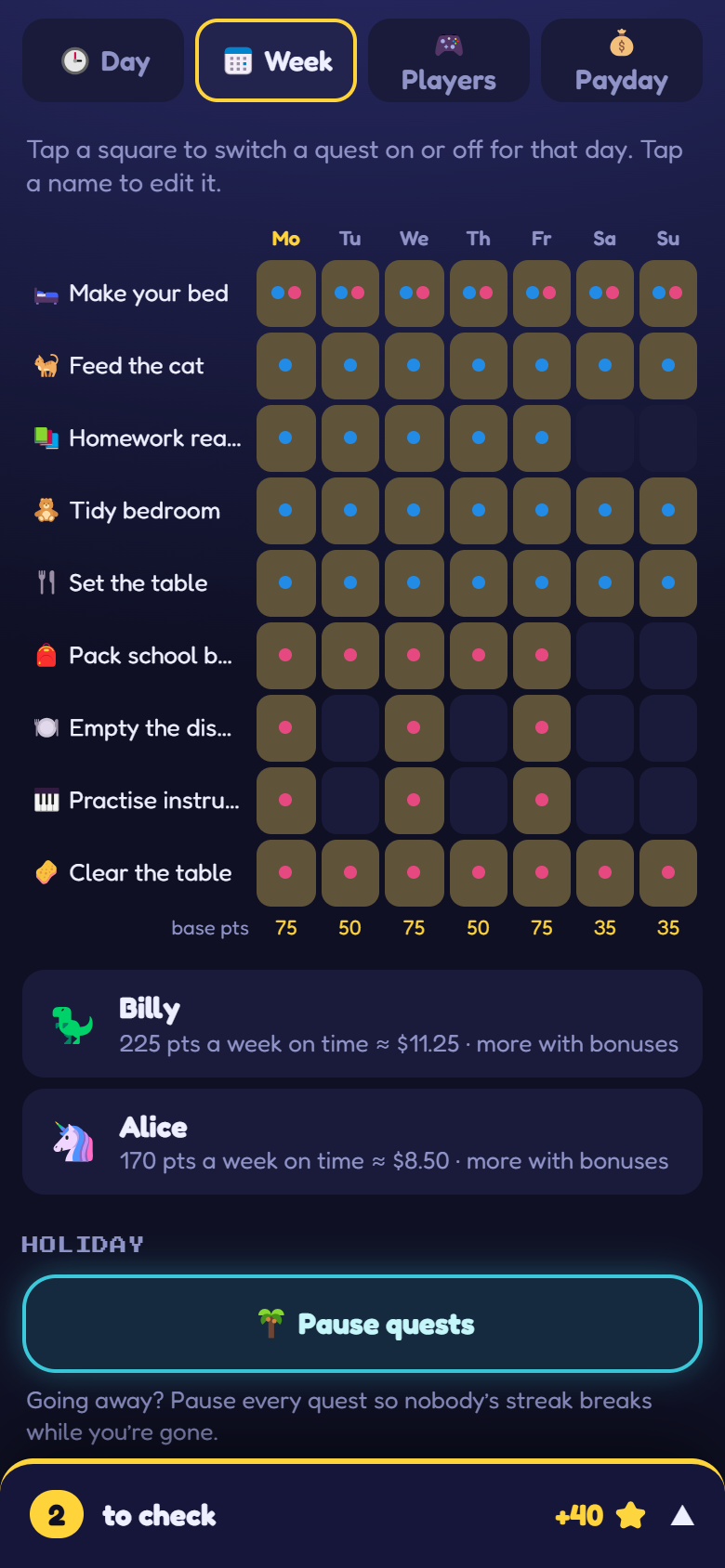
Swipe to approve a finished chore, or send it back with a note. Plan quests, times and points from the phone, starting from a library of common chores.
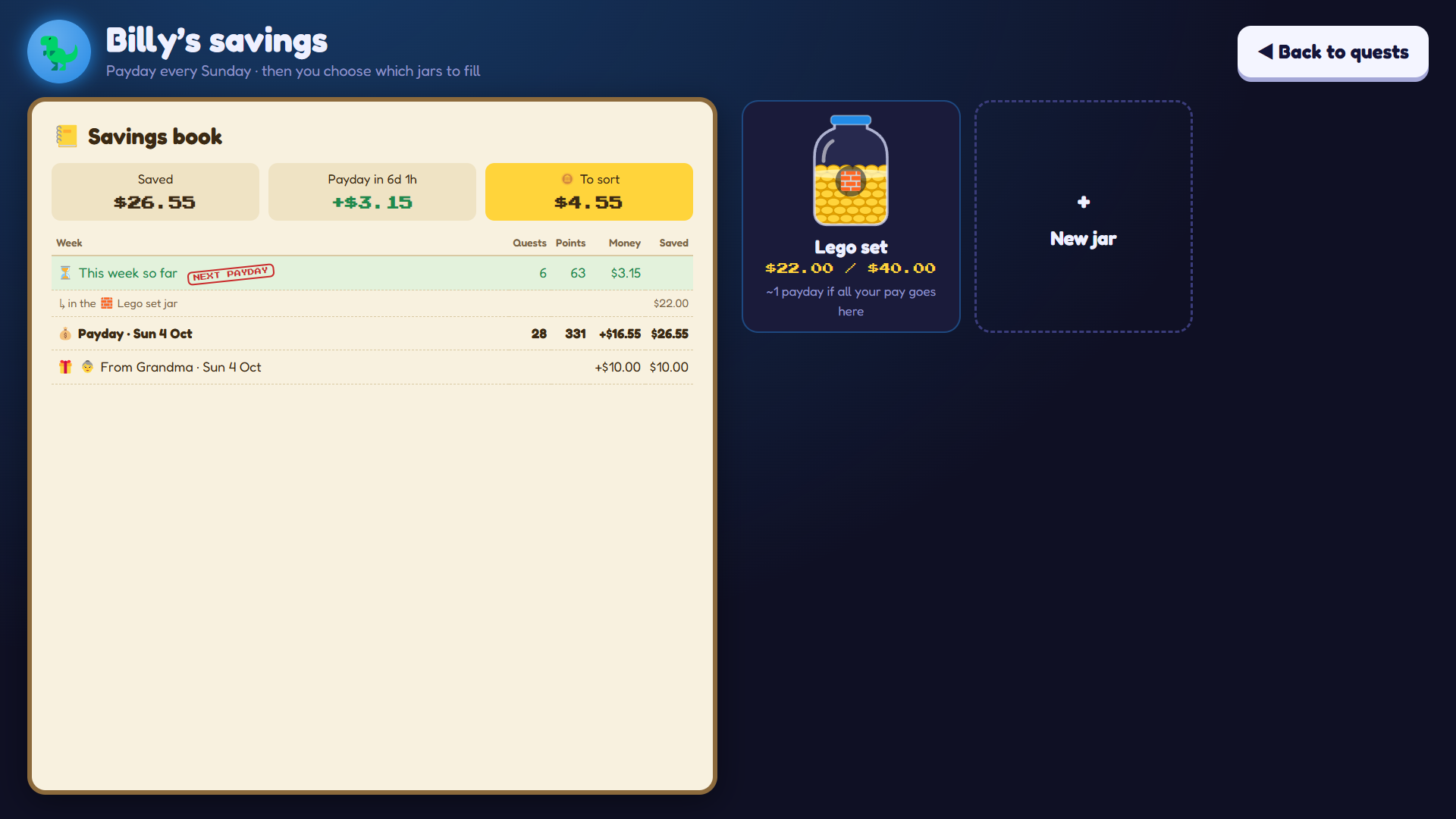
A weekly payday turns points into money. Kids pour it into savings jars for the things they want, and you can send gifts and record spending.
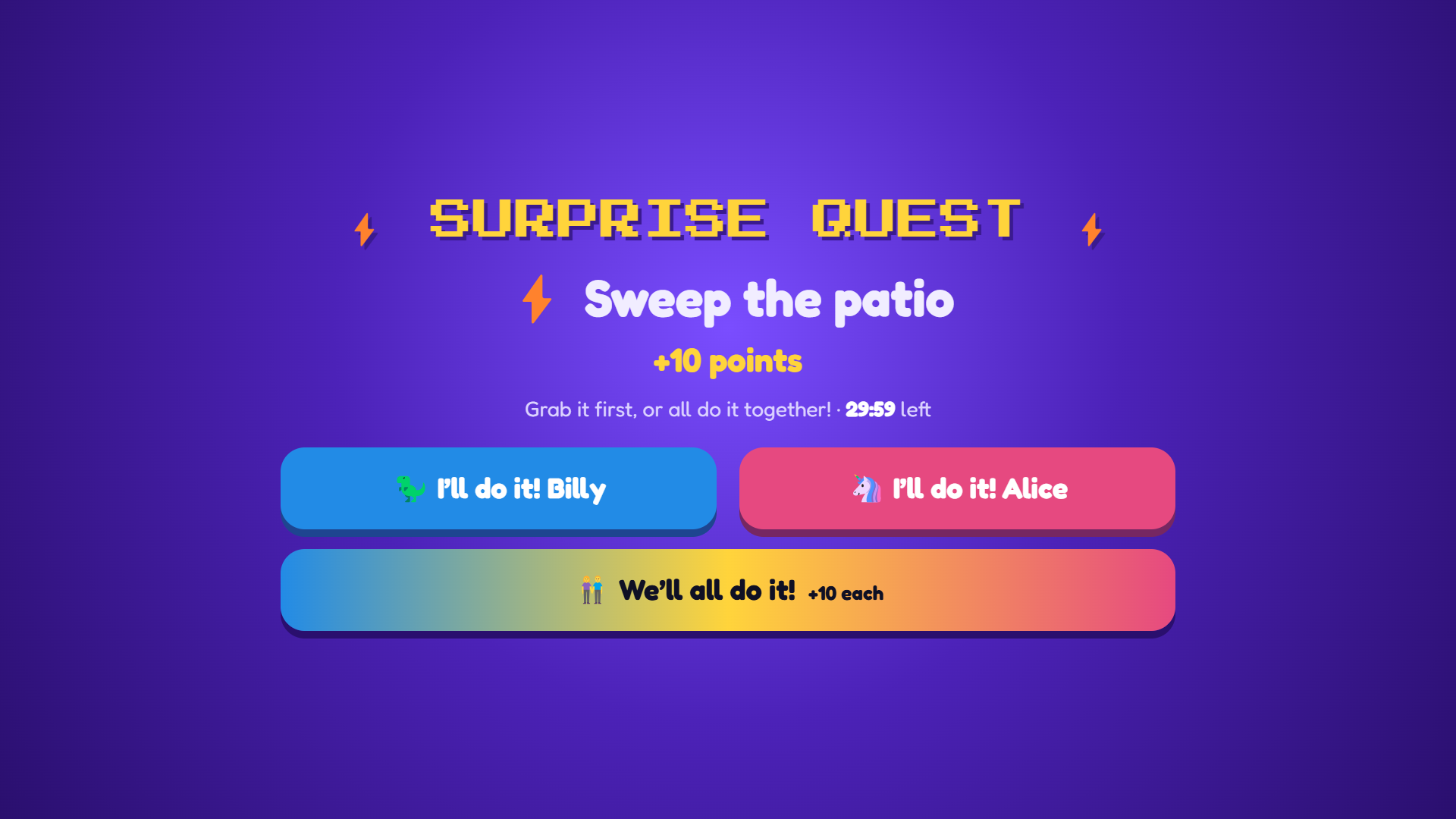
Pop a surprise quest onto the kids' screen for them to race for, or take on together.
Claims, approvals, level-ups and payday all get their moment, with quiet hours for the evenings.
Pause for a holiday or mark a sick day, so time off never breaks a streak.
Everything lives on your own PC: no accounts, no tracking, no cloud database. The kids' screen and your phones talk to it over your home Wi-Fi.
Coming soon
The easy way. Install it on the family PC and you're done.
Your family's data still stays on your PC. Want to know when it launches? Email hello@pocketmoneypal.com.
Free and open source, for people who like to tinker.
A Windows 10 or 11 PC for the kids' screen (a second monitor works well), and parents' phones with a modern browser.
On your PC, in one folder. Nothing is stored on our servers. With hands-off, your phone's requests pass through our relay to reach your PC, but the relay doesn't keep any of your family's data.
Yes. The app is open source and the hands-on way costs nothing. Hands-off will be a paid option, because it runs a service on our side.
Not yet. A Home Assistant integration is on the roadmap.